
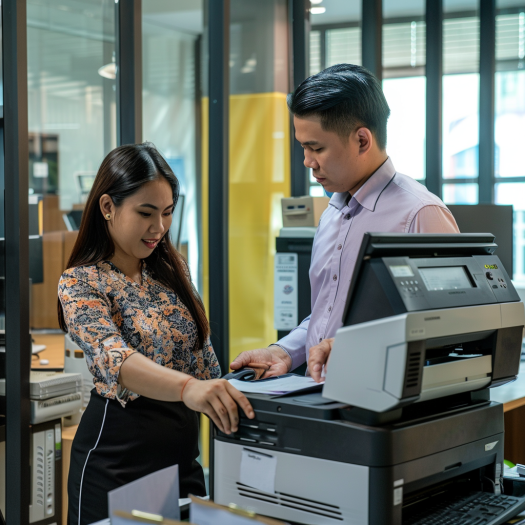
Introduction: Why Renewal for Printer Rentals Matters
Many businesses depend on rental printers for daily operations—from printing invoices to producing marketing materials. But what happens when your rental contract nears its end? This is where the Renewal for Printer Rentals comes in.
Renewing your printer rental isn't just about extending time. It's about ensuring continued service, upgrading equipment, avoiding hidden fees, and possibly renegotiating better terms. In this blog, we’ll guide you through everything you need to know about renewing your printer rental agreement effectively.
When Should You Consider Renewal for Printer Rentals?
Timing is key. Here are signs it's time to review and possibly renew:
Contract Expiry Nearing: Most contracts range from 12 to 36 months. Start reviewing 2–3 months before the end.
Stable Business Needs: If your printing volume remains consistent, renewal may be more economical than buying new equipment.
Great Service Experience: When your provider has been reliable, continuing the partnership makes sense.
Avoiding Service Interruptions: Renewal prevents disruptions in printing operations, especially during peak business months.
Benefits of Renewing Your Printer Rental Contract
Let’s look at the advantages of opting for Renewal for Printer Rentals:
1. Cost Control
Renewing may offer better pricing due to your established relationship. You might also avoid price hikes that come with new contracts.
2. Updated Terms
Technology changes fast. Renewal gives you a chance to update the terms of your agreement, including maintenance and support packages.
You can explore more about Copier Support Options to ensure you're getting the right service as part of your renewed plan.
3. Equipment Upgrade Opportunities
Many rental companies allow a free or discounted upgrade during renewal. You can negotiate better machines, like a more efficient color printer or faster scanner.
Refer to this guide on Selecting Copiers for Long-Term Rentals if you want a refreshed setup.
4. Seamless Continuity
Avoid the logistical headache of returning and re-renting machines. Renewal ensures no gap in your workflow.
Questions to Ask Before Renewing
Before signing on the dotted line, ask yourself and your provider the following:
Is the current machine still meeting your needs?
Are there new rental models with better efficiency or lower cost per page?
Has your provider offered an equipment upgrade as part of renewal?
Are there new features (e.g., wireless printing, eco-friendly modes) available?
Are your current service and maintenance terms still relevant?
You might want to evaluate the Cost of Maintaining Rental Copiers before making your decision.
Common Mistakes to Avoid
When it comes to Renewal for Printer Rentals, these pitfalls are best avoided:
1. Auto-Renewal Without Review
Some contracts auto-renew unless canceled within a specific period. Always mark your calendar and assess first.
2. Ignoring Usage Patterns
Your business needs may have changed. Renewing without evaluating your actual usage could lock you into an outdated setup.
3. Missing the Opportunity to Negotiate
A renewal is your chance to renegotiate service levels, pricing, or equipment.
Learn more about Contract Terms for Short-Term Rentals that can help you shape a better agreement—whether short or long-term.
Renewal vs. New Rental: Which is Better?
Here’s a quick comparison to help you decide:
| Criteria | Renewal | New Rental |
|---|---|---|
| Cost | Often cheaper due to loyalty pricing | May come with higher introductory fees |
| Equipment Upgrade | Possible if negotiated | Guaranteed new machine |
| Contract Flexibility | May be limited | More flexible on terms |
| Setup Time | Faster, no removal or delivery needed | Requires return and reinstallation |
If your business has drastically changed, a Short-Term Copier Rental might be better than renewal.
How to Proceed with Renewal for Printer Rentals
Here’s a step-by-step renewal process:
Review your current contract terms – Take note of end dates, equipment details, and fees.
Assess business needs – Evaluate current usage volume, paper sizes, color vs. mono printing.
Contact your provider – Inquire about renewal terms, equipment options, and pricing.
Request a quotation – Compare your current costs with the new renewal proposal.
Negotiate upgrades or discounts – Ask for newer models or lower rates as a loyal customer.
Sign the renewal agreement – After confirming all terms, move forward to secure your service continuity.
Red Flags: When NOT to Renew
There are situations where renewing is not the best move:
Frequent Downtime – Poor machine reliability or slow repair response times.
No Upgrade Options – If your provider won’t modernize your equipment.
Unclear Terms or Hidden Fees – Lack of transparency in pricing or contract clauses.
If these issues persist, consider exploring a new provider or leasing plan. See these Case Studies on Effective Copier Maintenance to compare service standards.
Conclusion: Renewal for Printer Rentals Made Easy
Renewing your printer rental contract is more than a checkbox—it’s a chance to optimize, save, and secure your printing operations for the future.
Whether you're managing a small business or a corporate department, Marga Enterprises offers transparent terms, flexible upgrades, and long-term service you can trust.
Visit our Homepage
Contact us at 0917-138-3942 / (02) 8242-5555
Follow us on Facebook
Subscribe to our YouTube Channel
Make the smart move—renew with confidence.