
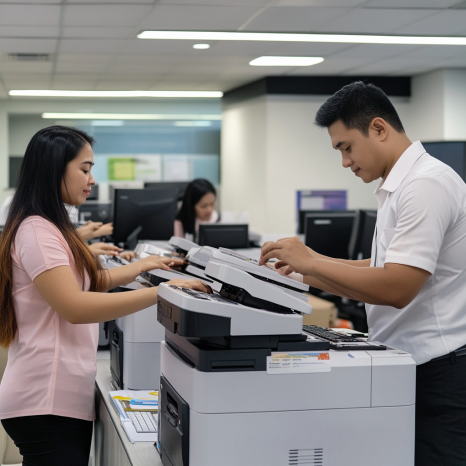
Introduction: Why Scheduled Maintenance for Printers is Non-Negotiable
In every office or business setting, printers play a crucial role in daily operations. Whether you're running a small home office, a mid-sized company, or a large enterprise, reliable printing is essential. However, many businesses often overlook one important aspect—scheduled maintenance for printers.
Without proper and timely upkeep, even the most advanced printers can become liabilities. From unexpected breakdowns to reduced output quality, the absence of a maintenance plan can lead to unnecessary costs and downtime.
In this blog, we’ll explore everything you need to know about scheduled maintenance for printers—its benefits, best practices, and how it contributes to overall productivity and cost-efficiency. We'll also highlight the importance of professional support and how rental printers simplify this entire process.
What is Scheduled Maintenance for Printers?
Scheduled maintenance for printers refers to the routine servicing of a printing device based on a fixed timeline or usage metric (like print volume or operational hours). Unlike reactive maintenance—done only when problems arise—scheduled maintenance is preventive. It ensures that parts are cleaned, checked, calibrated, or replaced before issues occur.
Examples of common maintenance tasks include:
Cleaning printheads and nozzles
Replacing worn rollers or fuser units
Updating firmware and drivers
Inspecting and realigning internal components
Checking ink or toner levels
Removing paper debris or dust accumulation
These tasks, when done periodically, prevent major technical failures and ensure peak performance.
Why Scheduled Maintenance is Crucial
1. Maximizes Printer Lifespan
Just like cars need oil changes, printers require periodic care. Maintenance reduces wear and tear on key components, extending the device's useful life. Regular servicing prevents the accumulation of issues that may lead to expensive replacements.
2. Reduces Costly Downtime
A sudden printer failure during a busy workday can halt productivity. Scheduled maintenance preemptively detects problems, preventing last-minute breakdowns and rushed repairs.
3. Improves Print Quality
Dusty internals, clogged printheads, or misaligned trays result in faded, streaky, or smudged prints. Routine checks restore the output quality and ensure that documents maintain a professional standard.
4. Saves Money on Repairs and Supplies
Without maintenance, small issues can snowball into major repairs. Also, malfunctioning parts may consume more ink or toner than necessary. Scheduled maintenance keeps your cost-per-page low.
5. Supports Warranty and Leasing Agreements
Many printer warranties and rental contracts require proof of proper maintenance. Failure to follow the recommended upkeep may void coverage. With rental services like those offered by Marga Enterprises, maintenance is often included, making compliance easier.
How Often Should You Schedule Printer Maintenance?
The frequency of maintenance depends on:
Printer model (laser, inkjet, or multifunction)
Usage intensity (daily print volume)
Work environment (dusty, humid, or clean setting)
Manufacturer guidelines
General recommendations:
| Printer Type | Maintenance Frequency |
|---|---|
| Low-volume inkjet | Every 3–6 months |
| Office laser printer | Every 2–3 months |
| High-volume MFP | Monthly or bi-monthly |
Refer to your printer’s manual or consult with your service provider for the ideal schedule.
Key Components That Require Maintenance
1. Printheads and Ink Cartridges
These are prone to clogs, especially in inkjets. Cleaning prevents dried ink buildup that can ruin print quality.
2. Rollers and Paper Trays
Paper jams are often caused by dusty or worn-out rollers. Wipe them regularly and align trays properly.
3. Fuser Assembly
Found in laser printers, the fuser melts toner to paper. Over time, it wears out and needs replacing to avoid ghosting or smearing.
4. Firmware and Driver Software
Outdated firmware may lead to compatibility and performance issues. Schedule updates as part of your maintenance.
5. Cooling Fans and Vents
Overheating can damage electronics. Clean vents and fans to maintain proper airflow.
Scheduled Maintenance for Printer Rentals: A Hassle-Free Option
If you rent your printers, the maintenance process becomes much easier. Reputable rental providers like Marga Enterprises often include scheduled maintenance and repairs in their service packages.
Benefits of renting printers with included maintenance:
No need to track service intervals manually
Automatic replacement of worn parts
On-site technician visits when required
Cost savings from bundled maintenance support
Peace of mind knowing experts handle your machines
Renting is ideal for businesses that want efficiency without the headache of technical issues. Explore more rental options, including best printers for remote work and portable printer solutions that fit evolving work environments.
How to Set Up a Printer Maintenance Schedule
Step 1: Review Manufacturer Guidelines
Start by reviewing the printer's user manual or manufacturer’s website. They often provide maintenance recommendations based on usage type.
Step 2: Monitor Usage
Track the number of pages printed monthly. Many printers have built-in usage counters. Adjust frequency based on usage levels.
Step 3: Create a Maintenance Log
Document when maintenance was performed, what tasks were done, and if any parts were replaced. This is useful for future diagnostics and warranty validation.
Step 4: Assign Responsibility
Designate a staff member or IT technician to oversee printer upkeep. Alternatively, outsource the job to a managed print service provider.
Step 5: Automate Reminders
Use calendar apps or service platforms that notify you when it's time for routine checks.
Signs That You Need Immediate Printer Maintenance
Even with regular scheduling, be alert to warning signs that need immediate attention:
Frequent paper jams
Uneven or faded prints
Grinding or strange noises
Slower printing speeds
Error messages you can’t resolve
Streaks, blotches, or ghost images
Delaying action can turn a minor issue into a major breakdown.
Printer Maintenance for Different Business Sizes
For Small Businesses:
A simple cleaning schedule and regular cartridge checks may suffice. Renting printers from providers with included service support can also be a wise move to reduce overhead.
For Medium Enterprises:
Mid-sized teams benefit from more structured checklists, scheduled technician visits, and firmware updates. Explore options to set up efficient home office printers for hybrid employees.
For Large Corporations:
High-volume printers need frequent tune-ups and predictive maintenance systems. A Managed Print Services (MPS) solution is recommended for scalability and centralized tracking.
Best Practices for In-House Maintenance
If you’re handling scheduled maintenance internally, follow these best practices:
Use manufacturer-approved cleaning supplies
Wear gloves when handling toner or ink
Avoid using rough cloths that leave lint
Always turn off and unplug the printer before cleaning
Keep maintenance documentation organized and accessible
If unsure, seek professional help instead of risking damage to the machine.
Advantages of Partnering with a Maintenance-Inclusive Rental Provider
Choosing a rental partner that includes maintenance gives you more than just equipment—it gives you an edge. You’re not only avoiding unexpected repair costs but also ensuring consistent print quality and device longevity.
With Marga Enterprises, businesses gain access to high-performance printers, maintenance support, and optimized solutions that scale with operational demands. From start-ups to established firms, these services are tailored to keep your workflow smooth and uninterrupted.
Explore real-world case studies of remote work printer rentals and see how scheduled maintenance plays a crucial role in performance continuity.
Conclusion: Stay Ahead with Smart Printer Maintenance
Scheduled maintenance for printers is more than a technical chore—it’s a strategic move that boosts productivity, reduces expenses, and extends the life of your devices. Whether you manage your own fleet or partner with a provider like Marga Enterprises, maintenance is key to hassle-free printing.
For businesses that want convenience and cost-efficiency, printer rentals with built-in service plans offer the best of both worlds. No more surprise breakdowns or quality issues—just consistent, reliable printing.
Let your printers work for you, not against you. Stay ahead. Stay scheduled.
Get in Touch with Marga Enterprises
For printer rentals with maintenance included, contact Marga Enterprises today:
Facebook: https://l.facebook.com/l.php?u=https%3A%2F%2Fwww.youtube.com%2F%40MargaEnterprises24%
YouTube: https://www.youtube.com/@MargaEnterprises24
Website: https://marga.biz
Mobile: 0917-650-4200
Landline: (02) 7621-4975
Let Marga Enterprises help you implement scheduled maintenance for printers—seamlessly and professionally.