
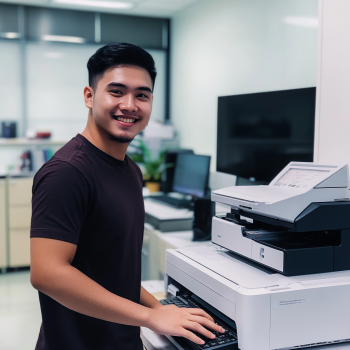
Resolving Print Quality Problems: A Practical Guide for Offices and Businesses
Poor print quality can quickly turn a productive day into a frustrating one. Blurry images, faded text, streaks, smudges, or unexpected color changes are common issues that affect professionalism and efficiency. Fortunately, resolving print quality problems doesn't always require expensive repairs. With the right know-how and maintenance strategies, many of these issues can be prevented or fixed in minutes.
In this guide, we’ll explore the common causes of poor print quality, practical troubleshooting steps, and proactive measures you can implement to maintain optimal printing performance.
Why Print Quality Matters
In both daily operations and client-facing tasks, print quality reflects your company’s brand. Whether it's a marketing flyer or an invoice, poor print output can impact how others perceive your business. More than just aesthetics, resolving print quality problems also improves productivity and minimizes downtime, making it a vital part of your office workflow.
Common Print Quality Issues
Identifying symptoms early can help you troubleshoot faster. Below are some of the most frequently encountered print quality problems:
1. Faded Prints or Light Text
These issues usually indicate:
Low toner or ink levels
Clogged printheads
Incorrect printer settings (e.g., draft mode or economy mode)
2. Streaks or Smudges
Streaking or smudging can be caused by:
Dirty rollers or a contaminated drum unit
Worn-out fuser assembly
Improper paper handling or low-quality paper
3. Blurry or Double Images
Blurriness or ghosting might result from:
Misaligned printheads
Faulty or outdated drivers
Excessive moisture in the paper supply
4. Uneven Color or Banding
Banding occurs when:
The toner or ink cartridge is faulty or running low
Print settings are mismatched with the paper type
The printer needs color calibration
Step-by-Step: Resolving Print Quality Problems
Here’s a structured approach to help resolve most printer output issues:
Step 1: Check Your Supplies
Start by inspecting your toner or ink levels.
Make sure you're using the correct cartridge model that’s compatible with your printer.
If the ink or toner is low or dried out, replace it with a fresh cartridge.
Step 2: Inspect the Paper
Examine the paper tray and storage conditions.
Always use high-quality, compatible paper stock.
Avoid using damp, curled, or wrinkled sheets that can affect image clarity.
Step 3: Clean the Printer Internals
Routine cleaning is essential.
Remove any dust, paper debris, or toner residue.
Use a lint-free cloth with isopropyl alcohol for rollers and other accessible parts.
Refer to your printer's manual when cleaning delicate components like the drum or printhead.
Step 4: Run Built-in Maintenance Tools
Most modern printers offer tools to help maintain performance, such as:
Printhead cleaning
Alignment checks
Color calibration
Using these functions can correct common issues like banding or misaligned prints.
Step 5: Update or Reinstall Drivers
Driver issues are a frequent cause of print errors.
Check the printer manufacturer’s website for driver updates.
Reinstall drivers if necessary to restore default configurations.
Step 6: Verify Print Settings
Ensure your printer settings are appropriate for the job.
Select the correct DPI (dots per inch) for clarity.
Match the media type settings with the paper you’re using (e.g., glossy, plain, recycled).
Disable economy or draft mode if high-quality output is required.
When to Seek Professional Help
While most print issues are fixable in-house, some problems require expert intervention.
Call for professional servicing when:
You encounter persistent error codes related to the drum, fuser, or sensors
Physical components are visibly damaged
Ghosting, toner leaks, or other hardware issues persist despite maintenance
The Role of Copier Rentals in Print Quality
Frequent printer issues may be a sign that your equipment is outdated.
Switching to a rental copier or printer can significantly improve reliability.
Rental plans often include professional maintenance, replacements, and technical support—all of which are essential for consistently high print quality.
Here are some helpful resources from Marga Enterprises to guide your decision:
Benefits of Short-Term Copier Rentals
Cost Analysis of Short-Term Copier Rentals
Contract Terms for Short-Term Rentals
Maintenance Tips for Short-Term Rentals
Preventive Measures to Maintain Print Quality
Implementing preventive care reduces the chances of recurring issues. Here’s what you can do:
1. Schedule Regular Cleaning
Consistent cleaning prevents the buildup of toner dust and debris.
A clean interior leads to sharper prints and fewer errors.
2. Maintain a Routine Service Schedule
Periodic checkups by qualified technicians can keep your printer running smoothly.
This is especially useful for high-volume environments where printers work overtime.
3. Train Staff to Handle Equipment Properly
Educate users on correct paper loading, toner replacement, and basic troubleshooting.
Proper handling helps prevent avoidable errors and extends printer life.
4. Use Only Genuine Supplies
Avoid third-party ink or toner refills that may not be fully compatible with your printer.
Using genuine supplies ensures quality output and avoids damaging internal components.

Conclusion: Keep Your Prints Sharp, Always
Print quality issues are not just annoying—they cost time, resources, and credibility. But by understanding the root causes and adopting a structured approach to maintenance, resolving print quality problems becomes manageable.
If you’re looking to harness the benefits of modern, cost-effective copier solutions without the burden of ownership, consider renting your next color copier. To learn more about sustainable copier rental solutions and how Marga Enterprises can support your green initiatives, contact us today at 09171642540 or 09614481276. You can also reach us via email at marga.enterprises2013@gmail.com.
Consider Visiting Our Facebook Page and Subscribe to our YouTube Channel to stay updated on practical copier and printer solutions.
Visit Marga Enterprises and find out why we are the No. 1 Copier & Printer Rental Provider in the Philippines. Let’s work together to build a greener, more sustainable future for generations to come.