
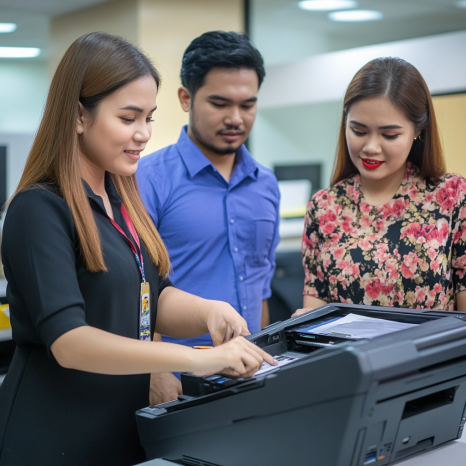
In today’s fast-paced office environments, having a reliable printer isn’t just convenient—it’s essential. But printers, like any other piece of office equipment, require regular care to function efficiently. Effective printer maintenance ensures that your machines perform optimally, avoid unexpected breakdowns, and extend their useful life.
Whether you're managing a small business or overseeing a large office, learning the best maintenance practices can save time, reduce costs, and improve productivity.
Why Effective Printer Maintenance Matters
Printers are often taken for granted until they stop working. Downtime from printer malfunctions can lead to delayed reports, missed deadlines, and frustrated employees. Regular maintenance:
Reduces costly repairs
Extends the lifespan of the equipment
Maintains print quality
Prevents paper jams and error codes
In other words, effective printer maintenance is a proactive approach to keeping your office operations running smoothly.
Common Printer Problems Caused by Poor Maintenance
Many businesses experience frequent printer issues due to neglect. Here are the most common issues:
Paper jams due to dust buildup or worn rollers
Poor print quality from clogged print heads or expired ink
Connectivity problems from outdated firmware
Overheating or hardware errors due to blocked vents or overuse
These problems are avoidable with routine care.
Best Practices for Effective Printer Maintenance
Let’s explore actionable tips you can implement immediately to maintain your printer.
1. Clean the Printer Regularly
Dust, toner, and paper debris can accumulate inside the printer and cause problems. Regularly clean:
Exterior surface with a soft cloth
Paper feed rollers with a lint-free cloth and alcohol
Interior parts such as trays and cartridges using compressed air (when safe)
For larger or multifunction printers, schedule monthly internal cleanups with a technician or provider like Marga Enterprises.
2. Use Quality Paper and Supplies
Low-quality paper often leaves residue that clogs the rollers and print heads. It can also cause more frequent jams. For best results:
Use the paper type recommended by your printer manufacturer
Store paper in a dry area to avoid moisture-related issues
Avoid reusing wrinkled or torn sheets
When renting or maintaining copiers and printers, refer to this Cost Comparison: Renting vs. Buying to assess maintenance vs. replacement.
3. Update Printer Firmware and Drivers
Printers today are smart devices that require updates to keep up with security and performance. Outdated firmware can lead to:
Compatibility issues
Slower processing
Network vulnerabilities
Schedule regular checks for updates from the manufacturer’s website or consult your service provider.
4. Replace Cartridges Before They Dry Out or Leak
One of the easiest ways to maintain print quality is to monitor ink and toner levels. Running your printer on empty cartridges may:
Damage the print heads
Lead to leaks inside the printer
Lower the overall quality of prints
Have spare cartridges ready and monitor ink levels frequently. This tip is particularly important if you're using high-volume machines under rental agreements—such as those explained in the Factors Affecting Copier Rental Prices.
5. Schedule Preventive Maintenance
Just like vehicles, printers benefit from scheduled tune-ups. Partner with a trusted provider like Marga Enterprises to:
Inspect hardware components
Calibrate settings
Replace worn parts before they fail
You can also learn about How to Budget for Copier Rentals to align your maintenance plan with rental terms.
6. Educate Your Team
A printer is only as good as the people using it. Make sure your employees know:
How to load paper properly
What types of media the printer supports
How to recognize warning signs (e.g., strange noises, smudges, low toner alerts)
Implementing basic training can dramatically reduce printer mishandling.
Signs Your Printer Needs Servicing
Even with consistent maintenance, your printer might show signs it needs professional attention. Watch out for:
Frequent paper jams despite proper loading
Stripes, smudges, or faded text on prints
Error codes that persist after restart
Grinding or unusual noises
If you encounter these signs, it’s time to call for a technician or review your current service agreement.
Maintenance Checklist for Office Printers
Here’s a quick checklist you can follow weekly and monthly:
Weekly:
Clean exterior surfaces
Empty output trays
Check for paper jams or debris
Monthly:
Clean internal components (rollers, cartridge area)
Replace or rotate cartridges
Check firmware updates
Inspect cables and power supply
Quarterly or Semi-Annually:
Schedule professional servicing
Review and adjust usage settings for efficiency
Evaluate print volume and consider upgrading if needed
Should You Rent or Buy for Easier Maintenance?
Renting printers and copiers from a reliable provider often includes maintenance and service packages. This setup is ideal for:
Businesses with high-volume printing
Seasonal print demands
Startups managing initial costs
Learn more about how short-term rental contracts work by visiting Contract Terms for Short-Term Rentals.
Conclusion: Maintain to Maximize Performance
Effective printer maintenance is not just about keeping your equipment clean—it’s about ensuring that your business stays productive and your employees don’t waste time dealing with technical issues.
Regular maintenance improves print quality, prevents costly repairs, and extends the lifespan of your device. Whether you own your printer or are renting one from a provider like Marga Enterprises, proper care and scheduled servicing are your best strategies for hassle-free printing.
Stay connected with Marga Enterprises for printer rental and support:
Mobile/Viber: 0917-510-0766
Telephone: (02) 8923-6935
Visit our Home Page
Facebook Page
YouTube Channel