
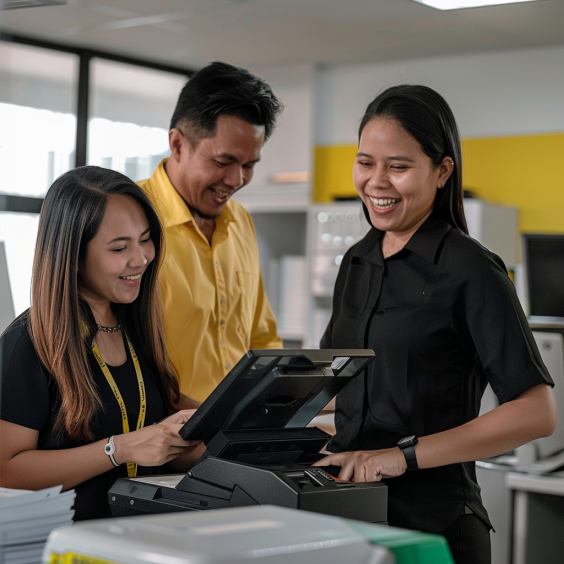
Wireless Printers for Office: The Smart Choice for Modern Workspaces
In today’s fast-paced business environment, having efficient and flexible office equipment is essential. Among the many technology upgrades offices adopt, wireless printers for office use have become increasingly popular. These devices offer convenience, enhanced mobility, and streamlined workflows that help businesses save time and reduce clutter.
This article explores the benefits, considerations, and latest trends in wireless printers tailored for office environments. Whether you’re a small startup or an established enterprise, understanding how wireless printing solutions fit into your office can elevate productivity and efficiency.
Why Choose Wireless Printers for Office Use?
Traditional wired printers have long been the backbone of office printing needs, but wireless printers bring distinct advantages that align with modern office demands.
1. Flexibility and Mobility
Wireless printers eliminate the need for physical cables, allowing employees to print from multiple devices—laptops, desktops, smartphones, and tablets—without being tethered to a particular desk or room. This flexibility supports hot-desking and remote working setups, making it easier to accommodate diverse working styles.
2. Reduced Clutter and Improved Office Aesthetics
Removing cables helps create a cleaner, safer workspace, minimizing tangled cords and potential tripping hazards. A neat environment contributes to employee satisfaction and professionalism.
3. Easy Setup and Scalability
Most wireless printers offer straightforward setup through Wi-Fi or Bluetooth connections. As your office grows, adding more users or devices is simple without the need for complex wiring changes.
4. Cost Efficiency Over Time
While initial costs of wireless printers can be higher, the savings in installation, maintenance, and cabling often balance out. Moreover, many models come with energy-saving features to reduce operational costs.
Key Features to Look for in Wireless Printers for Office
When selecting wireless printers, consider features that will meet your office’s specific requirements.
Print Speed and Volume
For busy offices, print speed (measured in pages per minute or PPM) and monthly duty cycle (maximum pages per month) are critical. Look for printers designed to handle your expected workload.
Print Quality
Depending on your business, you may require high-resolution printing for marketing materials or simple black-and-white prints for internal documents. Choose accordingly.
Multi-functionality
All-in-one wireless printers that combine printing, scanning, copying, and faxing can save space and cost.
Security Features
Wireless printers can be vulnerable to unauthorized access if not properly secured. Features such as password protection, encryption, and secure printing are vital to protect sensitive data.
Compatibility
Ensure the printer supports multiple operating systems and mobile platforms used in your office.
Popular Wireless Printer Technologies
Wireless printing typically connects through:
Wi-Fi: The most common method, allowing multiple devices on the same network to access the printer.
Bluetooth: Suitable for close-range printing but with fewer users.
Cloud Printing: Services like Google Cloud Print (now deprecated but replaced by alternatives) allow printing from anywhere with internet access.
Each has its pros and cons depending on office size, layout, and user needs.
How to Optimize Wireless Printer Use in Your Office
1. Position Your Printer Strategically
Place the printer within good range of the Wi-Fi router and user workstations for strong connectivity and minimal interruptions.
2. Keep Firmware Updated
Regularly update printer firmware to fix bugs, improve security, and add functionality.
3. Secure Your Network
Use strong Wi-Fi passwords, encrypt printer communications, and limit access to authorized users.
4. Use Print Management Software
These tools help monitor usage, control costs, and improve efficiency by managing print jobs and permissions.
Benefits of Renting Wireless Printers for Office Use
If you’re considering options for acquiring wireless printers, renting can be a cost-effective and flexible solution, especially for businesses with fluctuating needs.
Lower upfront costs: Avoid large capital expenditure.
Maintenance included: Rental agreements often cover service and repairs.
Easy upgrades: Switch to newer models as technology evolves.
Scalability: Add or reduce the number of printers as your business changes.
For more insights on printer rentals and cost analysis, visit Cost Analysis of Short Term Copier Rentals and Benefits of Short Term Copier Rentals.
Top Wireless Printer Models for Office in 2025
While technology evolves fast, here are some popular and reliable wireless printers favored by many offices:
HP LaserJet Pro M404dn: Excellent speed and quality, robust security features.
Brother HL-L2395DW: Compact multifunction wireless printer with great value.
Canon PIXMA TR8620: Ideal for high-quality color prints and scanning.
Epson EcoTank ET-4760: Features refillable ink tanks to reduce running costs.
Always assess your office’s needs and budget before choosing a model.
Troubleshooting Common Wireless Printer Issues
Even the best wireless printers can encounter problems. Here are some quick tips:
Connectivity Issues: Restart the printer and router, check Wi-Fi signals, and ensure correct network credentials.
Driver Problems: Keep drivers updated and reinstall if necessary.
Print Jobs Stuck: Clear the print queue or restart the print spooler service.
Security Alerts: Verify network security settings and printer access controls.
For detailed troubleshooting guidance, you can check resources like Network Printer Troubleshooting.
Conclusion
Wireless printers for office use represent a modern, flexible, and efficient solution for today’s diverse workplace needs. They reduce clutter, improve mobility, and support dynamic work environments, especially when paired with proper security measures and maintenance.
Whether you decide to purchase or rent, investing in reliable wireless printing technology is a step toward greater productivity and smarter office management.
For more information about wireless and other printer rental options, explore Marga Enterprises’ full offerings and expert advice:
Facebook: https://facebook.com/margaenterprises
YouTube: https://youtube.com/margaenterprises
Website: https://marga.biz
Contact Number: +63 912 345 6789 / (02) 1234 5678
Get in touch today to find the perfect wireless printer solutions tailored for your office!