
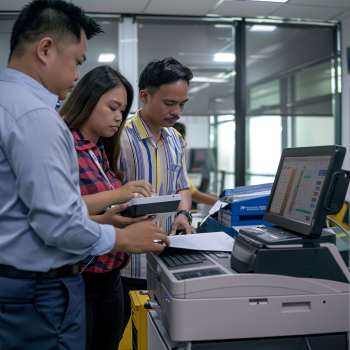
Top Printer for Office: Your Ultimate Guide to Choosing the Best Office Printer
In today’s fast-paced business environment, having the top printer for office use is essential for productivity and efficiency. Whether you are running a small startup or managing a large corporation, the right office printer can streamline workflows, reduce downtime, and cut operational costs.
This comprehensive guide will help you understand what makes a printer ideal for office use, the key features to look for, and recommendations to help you select the best model tailored to your business needs.
Why Choosing the Right Printer for Your Office Matters
Your office printer is more than just a device for printing documents. It’s a critical part of your daily operations affecting:
Productivity: Fast and reliable printing reduces waiting time and supports smooth work processes.
Cost-efficiency: Low operating costs and maintenance needs can significantly affect your bottom line.
Quality: Crisp, clear prints reflect professionalism, especially in client-facing materials.
Functionality: Modern printers often include scanning, copying, faxing, and wireless capabilities that can help unify your office workflow.
Key Features to Look for in the Top Printer for Office Use
When selecting a printer for office environments, consider these important features:
1. Print Volume and Speed
Office printers typically handle large volumes of documents daily. Look for printers with high monthly duty cycles and fast print speeds (measured in pages per minute or PPM). This ensures your device can keep up with workload demands without frequent jams or overheating.
2. Connectivity Options
Modern offices require versatile connectivity. The top printer for office should offer USB, Ethernet, and wireless connections, allowing seamless printing from multiple devices, including desktops, laptops, tablets, and smartphones.
3. Print Quality
Look for printers that provide high-resolution output, especially if you frequently print marketing materials or professional reports. Laser printers generally offer sharper text quality, while inkjets may excel in photo or color printing.
4. Multi-functionality
Multi-function printers (MFPs) that combine printing, scanning, copying, and faxing can save space and cost. Evaluate whether your office needs these additional features.
5. Cost of Consumables
Consider the cost and availability of toner or ink cartridges. Some printers offer high-yield cartridges or subscription services that can reduce the per-page printing cost.
6. Security Features
In business environments, data security is crucial. Look for printers with user authentication, secure print release, and network security protocols to safeguard sensitive documents.
Types of Printers Suitable for Office Use
Laser Printers
Laser printers are the most popular choice for offices due to their speed, efficiency, and sharp text quality. They are especially suitable for high-volume black-and-white printing.
Inkjet Printers
While traditionally used for photo and color printing, modern inkjet printers can also serve offices with moderate print volumes. They tend to have lower upfront costs but higher ink expenses.
LED Printers
These are similar to laser printers but use LED technology. They offer comparable print quality and speed with fewer moving parts, potentially reducing maintenance.
Multi-Function Printers (MFPs)
Combining print, scan, copy, and fax functions, MFPs are ideal for offices needing versatile devices to handle multiple tasks from one machine.
Recommended Top Printers for Office Use
Here are some popular models recognized for their performance in office settings:
1. HP LaserJet Pro M404dn
Type: Monochrome Laser Printer
Speed: Up to 40 PPM
Connectivity: Ethernet, USB
Key Features: High-speed printing, reliable for high-volume jobs, robust security features.
2. Brother MFC-L8900CDW
Type: Color Laser Multi-Function Printer
Speed: Up to 33 PPM
Connectivity: Wireless, Ethernet, USB
Key Features: Versatile multi-function capabilities, large paper capacity, strong security.
3. Canon imageCLASS MF445dw
Type: Monochrome Laser Multi-Function Printer
Speed: Up to 40 PPM
Connectivity: Wireless, Ethernet, USB
Key Features: Fast printing and scanning, easy to use touchscreen, excellent reliability.
4. Epson WorkForce Pro WF-C5790
Type: Color Inkjet Multi-Function Printer
Speed: Up to 24 PPM
Connectivity: Wireless, Ethernet, USB
Key Features: High-quality color output, low cost per page with ink tank system, energy-efficient.
Additional Tips for Choosing the Best Office Printer
Assess Your Print Volume: Small offices with low volume can benefit from affordable inkjets or basic laser printers, while larger offices need high-capacity laser printers.
Consider Maintenance and Support: Choose brands with local support and readily available parts to minimize downtime.
Plan for Growth: Pick printers that can scale with your business needs through additional paper trays, networking features, or expandable memory.
Evaluate Energy Efficiency: Look for ENERGY STAR certified printers to reduce electricity consumption.
Why Rent or Lease the Top Printer for Office Use?
Many businesses find leasing or renting printers more cost-effective than outright purchases. This approach provides:
Access to the latest technology without large capital expenditure.
Included maintenance and support packages.
Flexibility to upgrade or change equipment as business needs evolve.
For more information on copier and printer rental solutions, visit these helpful resources:
Benefits of Short-Term Copier Rentals
How to Budget for Copier Rentals
Cost Analysis of Short-Term Copier Rentals
Conclusion
Selecting the top printer for office depends on your specific business needs, budget, and expected print volume. Prioritize printers that offer speed, reliability, connectivity, and cost-efficiency to maximize productivity.
If you're looking for flexible solutions, consider renting or leasing options that provide the latest technology with ongoing support.
For trusted office printer rental services and expert advice, explore Marga Enterprises’ offerings. Connect with us through our social media platforms or contact us directly:
Facebook: Marga Enterprises Facebook
YouTube: Marga Enterprises YouTube
Website: https://marga.biz
Contact Number: +63 912 345 6789
Choose wisely and empower your office with the best printing solutions for success.