
Comparing Office Printer Features
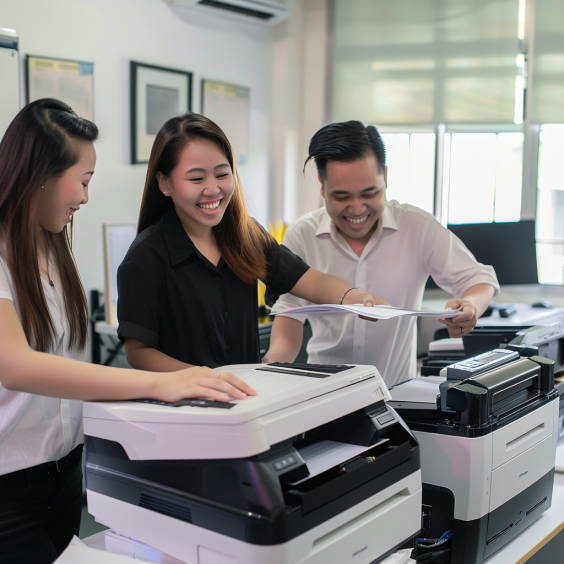
When it comes to outfitting your office with the right printer, the choices can be overwhelming. With a wide range of options, technologies, and capabilities available in the market, understanding what matters most can save your business both time and money. This guide focuses on comparing office printer features to help you make an informed decision that aligns with your business needs.
Why Choosing the Right Office Printer Matters
Office printers are not just devices that produce paper copies. They’re critical tools that impact productivity, costs, and document management workflows. Selecting a printer with the right features ensures smooth operations, better quality output, and reduced downtime.
The key features you should consider often depend on your office size, document volume, and specific printing requirements. Let’s explore these features in detail.
Key Features to Compare When Selecting an Office Printer
1. Printer Type: Laser vs. Inkjet
Understanding the difference between laser and inkjet printers is fundamental.
Laser Printers: Ideal for high-volume printing, laser printers offer faster print speeds and lower cost per page. They are perfect for offices that print mainly text documents and need efficient output.
Inkjet Printers: Better suited for smaller volumes and color printing, especially images or photos. They tend to be slower and have higher ink costs but offer superior photo quality.
For businesses that require consistent, bulk printing, laser printers are usually the preferred choice.
Learn more about choosing between laser and inkjet printers.
2. Print Speed and Volume
Print speed is measured in pages per minute (PPM), and it’s a crucial factor in busy offices.
For small teams, a moderate speed (20-30 PPM) may suffice.
Larger offices or departments with high print demand should look for printers offering 40+ PPM.
Also, consider the monthly duty cycle, which is the maximum recommended number of pages a printer can handle monthly without compromising longevity. Choosing a printer that matches or exceeds your volume needs will prevent premature wear and costly repairs.
3. Print Quality (Resolution)
Print quality is measured in dots per inch (DPI). Higher DPI values mean sharper text and clearer images.
For everyday office documents, 600 x 600 DPI is adequate.
Marketing materials, presentations, or detailed graphics require higher DPI.
Balancing print quality with speed and cost is important, especially if color printing is a regular part of your workflow.
4. Connectivity and Network Features
Modern office printers should offer multiple connectivity options:
Wired (Ethernet or USB): Reliable and secure for most offices.
Wireless (Wi-Fi or Bluetooth): Enables flexible placement and supports mobile printing.
Cloud Printing Support: Allows printing from anywhere using services like Google Cloud Print.
Network-ready printers facilitate shared access among multiple users, improving efficiency.
Explore printer rental solutions with advanced network features.
5. Multifunction Capabilities (MFP)
Many office printers today are multifunction printers (MFPs), which combine printing, scanning, copying, and sometimes faxing into one device.
Pros: Save space, reduce costs, and simplify maintenance.
Cons: Sometimes slower in one function and may have higher upfront costs.
Consider whether your office workflow benefits from all-in-one devices or if separate devices for scanning and printing are more efficient.
6. Paper Handling and Capacity
Evaluate the printer’s paper handling capabilities:
Input Tray Capacity: Larger trays reduce the need for frequent refills.
Multiple Paper Sizes and Types: Check if the printer supports envelopes, labels, cardstock, etc.
Automatic Document Feeder (ADF): Useful for scanning or copying multiple pages quickly.
For high-volume offices, a printer with robust paper handling is a productivity booster.
7. Security Features
Security is a growing concern with networked devices. Look for features such as:
User authentication (PIN codes or cards)
Data encryption
Secure print release (prints only after user confirmation)
Firmware update capabilities
Implementing printers with strong security protects sensitive business data from unauthorized access.
8. Cost Considerations: Consumables and Maintenance
Initial cost isn’t the only expense. Consider:
Toner or Ink Costs: Laser printers usually have lower cost per page.
Maintenance Contracts and Warranties: Look for reliable support and service agreements.
Energy Efficiency: Energy Star-rated models reduce operating costs.
Some businesses opt for copier or printer rentals to manage these expenses better and ensure consistent maintenance.
Check out how rental options can lower your overall costs.
Comparing Office Printer Brands and Models
While features matter most, brand reputation and local support should influence your choice.
Established brands often provide better warranties and more reliable parts.
Local providers may offer quicker service response times and tailored rental packages.
Consider partnering with trusted providers like Marga Enterprises that specialize in office printer rental and support.
Making the Right Choice for Your Office
When comparing office printer features, start by clearly defining your office’s specific needs:
What volume and type of documents do you print daily?
Do you need color printing or mainly black and white?
Is multifunction capability essential?
What is your budget for purchase or rental?
How important are network and security features?
Answering these questions helps narrow down your options and ensures you select a printer that balances performance and cost.
Conclusion
Choosing the right office printer is a strategic decision that affects your business productivity, costs, and data security. By thoroughly comparing office printer features such as print type, speed, connectivity, multifunction capabilities, and cost, you can select the ideal device for your workspace.
For reliable office printer solutions tailored to your needs, visit the Marga Enterprises Home Page. Stay connected and updated by following us on our Facebook page and YouTube channel.
For inquiries, contact us at:
Mobile/CP: +63 917 123 4567
Telephone: (02) 1234 5678
Make your office printing hassle-free with the right features and trusted support.
If you want me to help with anything else related to office printers or rentals, just ask!