
Top Small Office Printers
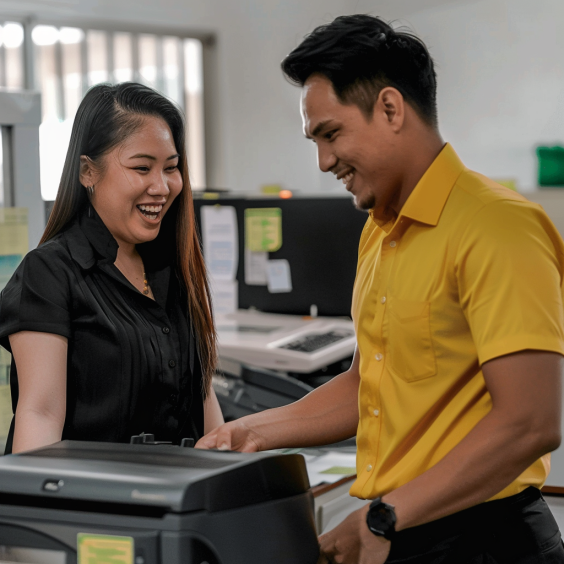
Top Small Office Printers: The Best Devices for Efficiency and Productivity
In today's fast-paced work environments, having the right printer can significantly boost your office's productivity and streamline day-to-day tasks. Whether you're printing reports, scanning contracts, or producing marketing materials, the right printer makes all the difference. This blog highlights the Top Small Office Printers that strike the perfect balance between performance, size, and cost-effectiveness—making them ideal for startups, home offices, and small business operations.
Why Choosing the Right Small Office Printer Matters
Not all printers are created equal. For small offices, the ideal printer must be:
Compact enough to fit tight spaces
Cost-efficient for regular use
Capable of handling multi-function tasks (print, scan, copy, fax)
Reliable with minimal downtime
By choosing a high-quality small office printer, your team can avoid delays, cut operational costs, and ensure better print quality for both internal and client-facing materials.
Features to Look for in a Small Office Printer
Before diving into the top models, here are essential features that any top-tier small office printer should offer:
Multi-functionality: Most small businesses benefit from all-in-one printers that handle printing, scanning, copying, and faxing.
Wireless connectivity: Seamless integration with Wi-Fi, Bluetooth, or mobile apps makes printing from any device hassle-free.
Duplex printing: Saves paper by printing on both sides automatically.
Fast print speeds: Ideal for teams that need to print documents quickly.
Cost-effective ink or toner use: Look for models with ink-saving modes or compatible high-yield cartridges.
For more tips on setting up a reliable printing system, explore this guide on setting up a home office printer.
Top Small Office Printers to Consider
1. Brother MFC-L2750DW
This monochrome laser all-in-one printer is a powerhouse in small form.
Best for: Offices with high text-printing needs
Key Features:
Duplex scanning and printing
Fast print speed: up to 36 ppm
Wireless, Ethernet, and USB connectivity
Why It Stands Out: Affordable running costs and compact design
You can also compare this with options featured in case studies on remote work printer rentals.
2. HP OfficeJet Pro 9025e
Ideal for small offices needing color printing without high laser printer costs.
Best for: Color printing, scanning and occasional photo printing
Key Features:
Prints up to 24 pages per minute
Smart Tasks for workflow automation
Dual-sided automatic document feeder
Why It Stands Out: Strong balance between performance and price
Looking for more remote work-friendly printers? Check out best printers for remote work.
3. Canon imageCLASS MF644Cdw
This all-in-one color laser printer offers quality prints and efficient design.
Best for: Teams that want laser-quality color output
Key Features:
5-inch touchscreen display
Mobile printing via Canon Print App, Apple AirPrint, Google Cloud Print
22 ppm print speed
Why It Stands Out: High-quality color output for presentations and graphics
To maximize output quality without large investments, you may also explore portable printers for home offices.
4. Epson EcoTank ET-3850
A cartridge-free printer with refillable tanks for long-term savings.
Best for: High-volume printing with low ink costs
Key Features:
Prints thousands of pages per refill
Wireless and voice-activated printing
Auto two-sided printing
Why It Stands Out: Excellent for cost-conscious offices with frequent printing needs
This model is an ideal match for those already enjoying the benefits of renting printers for remote work.
5. Lexmark MB3442adw
A durable, business-class laser printer in a compact footprint.
Best for: Offices with frequent scanning and secure document workflows
Key Features:
Fast print speed (up to 42 ppm)
Dual-core processor and 1 GB memory for heavy tasks
Strong data encryption and network security features
Why It Stands Out: Built for performance and office-grade security
Renting vs. Buying: Which Is Better?
While purchasing might seem more straightforward, many small offices benefit greatly from printer rentals. Here's why:
Reduced upfront cost: Renting eliminates the need for a large capital investment.
Maintenance included: Many rental plans include free or discounted maintenance and repairs.
Scalability: Upgrade to better models as your business grows.
You can learn more about how rental models support small office needs by exploring our printer rental plans.
How to Choose the Best Printer for Your Office
Here’s a quick checklist to help guide your decision:
| Criteria | Recommendation |
|---|---|
| Monthly print volume | Choose laser for high-volume, inkjet for low-to-mid |
| Need for color | Go for inkjet or color laser |
| Budget | Consider total cost of ownership, not just upfront |
| Space availability | Measure your space and check printer dimensions |
| Connectivity needs | Look for Wi-Fi, mobile printing, and cloud support |
Final Thoughts
Selecting from the Top Small Office Printers can significantly impact your daily operations, helping you work faster and more efficiently. Whether you prioritize cost, speed, or versatility, there's a model out there to meet your needs. And if you're not ready to buy, printer rentals offer flexible and affordable options tailored to your office setup.
For expert advice, rental options, or to request a quote, contact Marga Enterprises today.
Facebook Page: https://l.facebook.com/l.php?u=https%3A%2F%2Fwww.youtube.com%2F%40MargaEnterprises24
YouTube Channel: @MargaEnterprises24
Home Page: https://marga.biz
Contact Numbers: 0917-650-1111 / (02) 7621-5050
Explore the best solutions for your office. With Marga Enterprises, quality printing is just one call away.