
Top Remote Work Printers
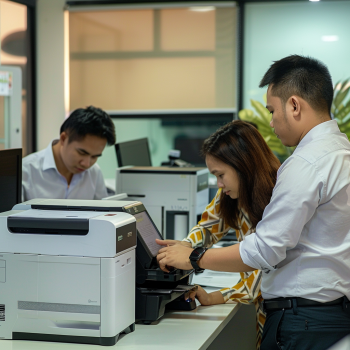
Introduction: The Need for Reliable Home Office Printers
As remote work becomes more permanent for many professionals, having the right tools at home is essential. Among these tools, one often-overlooked asset is a dependable printer. Whether it’s for printing contracts, client presentations, or daily reports, a reliable home office printer can make remote work more efficient and productive.
This guide explores the Top Remote Work Printers to help you find the perfect printing solution for your home office setup. We’ll cover the must-have features, best models, and the benefits of renting printers instead of buying.
What Makes a Printer Ideal for Remote Work?
Before we dive into our list of top printers, let’s define what makes a printer “remote work-friendly”:
Compact size – fits small home office spaces
Wireless connectivity – enables printing from laptops, phones, and tablets
Fast print speeds – reduces waiting time for documents
Multi-functionality – scanning, copying, and printing in one
Cost-efficiency – low cost per page and energy-saving features
Reliable maintenance and support – essential for minimizing downtime
1. Canon PIXMA G3020
The Canon PIXMA G3020 is a cost-effective ink tank printer designed for high-volume printing. It’s ideal for professionals who need to print frequently without constantly refilling ink.
Key Features:
Wireless and mobile printing ready
Print, scan, copy capabilities
High page yield: Up to 6,000 black and 7,700 color pages
Energy-efficient and compact design
Why It’s Great for Remote Work:
Its wireless capabilities and low operating costs make it a perfect match for remote workers looking to save on long-term printing expenses.
Read more on setting up a home office printer
2. HP OfficeJet Pro 9025e
The HP OfficeJet Pro 9025e combines speed and smart functionality with an all-in-one design.
Key Features:
Dual-band Wi-Fi and mobile printing
500-sheet paper capacity
Fast print speeds: Up to 24 pages per minute (black)
HP+ smart printing system with 6 months of free ink
Why It’s Great for Remote Work:
It’s built for multitaskers. With fast scanning, high-capacity trays, and automated workflows, it helps remote professionals handle large volumes of work efficiently.
Explore the benefits of renting printers for remote work
3. Brother DCP-L2540DW
If you’re looking for a laser printer with reliable performance, the Brother DCP-L2540DW is a compact and affordable option.
Key Features:
Laser monochrome printer, copier, and scanner
Automatic duplex printing
Built-in wireless and Ethernet networking
Fast printing: 30 pages per minute
Why It’s Great for Remote Work:
Ideal for text-heavy printing needs like contracts and reports. Its high print speed and wireless connectivity keep your workflow smooth.
Check out top printers for remote work
4. Epson EcoTank L3250
The Epson EcoTank series is known for its ultra-low running costs and high-yield printing. The L3250 model is especially suited for work-from-home setups.
Key Features:
Cartridge-free ink system
Print from mobile devices via Epson Smart Panel app
Ultra-high yield: 4,500 black and 7,500 color pages
Compact and clean tank design
Why It’s Great for Remote Work:
It significantly cuts down your per-page printing costs, especially useful for document-heavy tasks.
See how portable printers work in home offices
5. Lexmark MB2236adw
A compact, multi-function monochrome laser printer built for performance, the Lexmark MB2236adw is ideal for minimal yet demanding workspaces.
Key Features:
Built-in Wi-Fi and security features
Prints up to 36 pages per minute
Mobile printing and scanning
Automatic duplex printing
Why It’s Great for Remote Work:
It’s compact but powerful, offering the efficiency of a full-sized office machine in a small form—ideal for apartments or shared workspaces.
Read case studies on remote printer rentals
Renting vs. Buying a Printer for Remote Work
For many professionals, renting a printer can be more practical than buying one. Here's why:
Lower upfront costs – No need for a large initial investment
Regular maintenance – Most rental plans include service and repair
Up-to-date technology – Upgrade as needed without full replacement
Flexible terms – Short or long-term rental options
Explore rental options and packages
Tips for Choosing the Best Remote Work Printer
When selecting a printer, consider the following tips:
Know your workload: Are you printing a few pages daily or hundreds weekly?
Consider multifunction models: Save space and money by choosing all-in-one devices
Look for eco-friendly options: Choose printers with energy-saving modes and low-waste ink systems
Think long term: Will you benefit more from renting or owning?
Final Thoughts
Choosing the right printer can elevate your work-from-home experience. Whether you need a laser printer for crisp documents or an all-in-one inkjet for versatility, the Top Remote Work Printers listed above offer efficiency, value, and reliability.
If you’re unsure whether to buy or rent, Marga Enterprises can help you make the smart choice. We offer flexible printer rental plans tailored to your needs—perfect for freelancers, small business owners, or enterprise teams working remotely.
For inquiries or rental assistance, contact us today:
📞 Mobile/Viber: 0917-620-8264
☎️ Landline: (02) 7799-2222
🌐 Visit Marga Enterprises homepage
📺 YouTube Channel
📘 Facebook Page
Let us help you find the perfect printer for your remote work needs.