
Network Printers for Offices
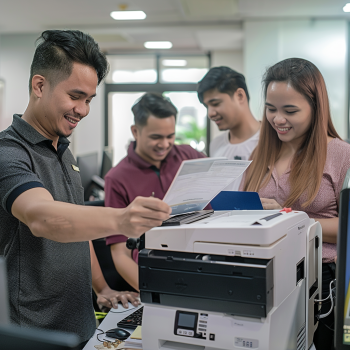
Introduction: Why Network Printers Are Essential for Today’s Offices
In today’s fast-paced and digitally connected work environment, printing solutions must keep up with evolving business needs. Whether you operate a small startup or a large enterprise, network printers for offices are no longer a luxury—they are a necessity. These devices enable multiple users across a shared office network to print, scan, or fax efficiently from their desks, reducing time waste and improving workflow.
In this blog post, we’ll explore the many advantages of network printers, how they support office productivity, and how businesses can make the most out of this essential office equipment.
What Are Network Printers?
Network printers are printers that are connected to a local area network (LAN) either through Ethernet or Wi-Fi. Unlike traditional standalone printers, network printers can be accessed by multiple computers and devices on the same network without the need for direct connections through USB cables.
Key Features of Network Printers:
Shared access across multiple users
Wireless or wired connectivity
Integration with office management software
Centralized control and monitoring
Support for mobile and cloud printing
This type of setup is ideal for offices aiming to streamline operations and cut down on hardware redundancies.
Benefits of Using Network Printers for Offices
1. Improved Efficiency and Collaboration
With network printers, teams can share resources seamlessly. There's no need to transfer files using USBs or email documents just to print. Everyone connected to the network can access the printer, making document sharing and collaboration easier than ever.
2. Cost Savings on Equipment and Maintenance
Instead of having individual printers for each employee or department, one high-performance network printer can serve multiple users. This consolidation reduces the need for multiple machines and cuts down on maintenance and supply costs.
You can explore how businesses reduce costs by renting efficient machines in this post:
Benefits of Renting Printers for Remote Work
3. Centralized Management and Monitoring
Office administrators can monitor usage, update settings, and troubleshoot issues from a central location. This helps enforce print policies, track consumable levels, and manage print quotas effectively.
4. Enhanced Security Features
Many network printers include user authentication, password-protected printing, and encryption features to keep sensitive documents secure—an essential feature for industries like finance, law, and healthcare.
5. Scalability for Growing Teams
As your team grows, you don’t need to keep buying new printers. Most network printers are built to scale, allowing new users to be added to the network easily without interrupting operations.
Wired vs. Wireless Network Printers
Both types of network printers offer similar functionalities, but the method of connectivity differs:
Wired Network Printers connect via Ethernet cables and often offer a more stable and secure connection.
Wireless Network Printers use Wi-Fi, allowing greater placement flexibility and support for mobile or remote printing.
For smaller or mobile setups, check out:
Portable Printers for Home Offices
Key Factors to Consider When Choosing a Network Printer
Before investing in or renting a network printer for your office, consider the following factors:
1. Volume and Speed Requirements
Assess how many pages your team prints per day or week. High-volume offices may require fast, durable laser printers, while small teams may do well with mid-range all-in-one inkjet printers.
2. Functionality Needs
Do you need scanning, copying, or faxing features? Look into all-in-one printers that combine multiple functionalities in a single device to save space and cost.
3. Compatibility with Existing Systems
Make sure the printer is compatible with your office’s operating systems and devices. Some printers are optimized for Windows environments, while others work better with macOS or mobile platforms.
4. Support and Maintenance Plans
It’s important to have a reliable service provider. Partnering with a rental company that offers maintenance, repair, and support services ensures your printer runs smoothly at all times.
For expert support and easy setup, visit:
Setting Up a Home Office Printer
Renting vs. Buying: What’s Better for Offices?
If your business is growing or undergoing changes, renting network printers can offer more flexibility compared to buying. Here are some benefits:
No large upfront costs
Easy upgrades to newer models
Inclusive maintenance and support
Predictable monthly expenses
Explore this in detail in our case studies:
Case Studies: Remote Work Printer Rentals
How to Set Up a Network Printer in Your Office
The process will depend on your device and network type, but here’s a simplified guide:
Connect the Printer to the Network
Wired: Plug in via Ethernet cable
Wireless: Connect via Wi-Fi settings on the printer screen
Install Printer Drivers
Install the manufacturer’s drivers on each device accessing the printer
Add Printer to Devices
On Windows: Settings > Devices > Printers & Scanners
On macOS: System Preferences > Printers & Scanners
Configure Access Permissions
Set up user authentication or restrictions if needed
Test Print and Monitor Usage
Ensure all users can print, and set up monitoring tools for usage tracking
Real-World Applications of Network Printers
Here’s how different office setups benefit:
Law Firms: Secure document printing and record management
Startups: Cost-effective shared access and cloud integration
Accounting Firms: High-speed printing and data security
Remote Teams: Integration with mobile print apps and cloud platforms
If you’re a remote or hybrid setup, check out:
Best Printers for Remote Work
Conclusion: Invest in Smarter Printing Solutions
Network printers for offices are not just about printing—they are about improving workflows, reducing operational costs, and enabling team collaboration. Whether you’re setting up a new office, upgrading old equipment, or managing a hybrid workforce, the right network printer can make all the difference.
At Marga Enterprises, we help businesses find the perfect printer rental solutions tailored to their needs—from remote setups to high-performance office environments.
For more information or to get a quote:
📞 Call or Text: 0917-139-8525 / (02) 3413-7571
🌐 Visit us: Marga Enterprises Homepage
📘 Facebook: Marga Enterprises Facebook
📺 YouTube: Marga Enterprises YouTube
Choose the smart solution for your office—choose Marga.