
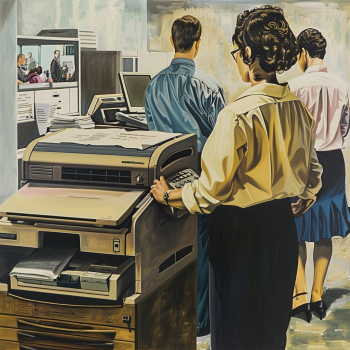
In every modern office, the copier is a vital piece of equipment. Whether you're printing client proposals, internal memos, or marketing materials, your copier must work efficiently. However, like any machine, copiers need regular care to avoid downtime and maintain performance. This blog will walk you through essential copier maintenance for office settings, helping you save on repairs, extend equipment lifespan, and boost productivity.
Why Copier Maintenance Matters in the Office
A well-maintained copier means fewer interruptions, better print quality, and longer device life. Offices that neglect copier care often experience paper jams, toner issues, and costly repairs—interrupting workflow and affecting team productivity.
By following a proactive maintenance routine, you not only prevent issues but also reduce overall operating costs. If you’re working with a rented copier, proper maintenance also ensures compliance with service agreements and lease terms.
Daily and Weekly Copier Maintenance Tips
Routine maintenance doesn’t have to be complicated. Here are simple practices your team can follow:
1. Clean the Glass and ADF Regularly
Dust and smudges can affect scan and copy quality. Use a soft, lint-free cloth and non-abrasive glass cleaner to wipe down the scanner glass and Automatic Document Feeder (ADF).
2. Keep Paper Trays Organized
Use the correct paper size and type. Never overload trays, and store paper in a dry place to avoid moisture that leads to jams.
3. Check for Paper Debris
Remove leftover paper bits from inside the machine. Small scraps can cause future jams or feed issues.
4. Replace Toner and Ink When Needed
Don’t wait until toner runs out completely. Most modern copiers give early warnings—replace supplies promptly to maintain print quality.
5. Avoid Overuse
Respect the copier’s monthly duty cycle. Excessive use without downtime can cause parts to wear out quickly.
Monthly Maintenance for Office Copiers
Monthly tasks may require coordination with your IT or admin staff:
Inspect for worn rollers or belts
These parts can wear down over time. If prints are crooked or paper isn’t feeding correctly, it may be time for replacement.Update copier firmware
Check with your provider if updates are available. Updates can improve performance and fix bugs.Check print quality with a test page
Look for faded text or streaks—this may indicate the need for drum or toner replacement.Review copier usage logs
These logs help monitor usage and detect unusual patterns that could signal misuse or mechanical issues.
The Role of Professional Maintenance Services
Even with the best in-house practices, your copier will benefit from professional servicing. A trained technician can:
Deep clean internal components
Calibrate color settings and alignment
Replace worn-out parts
Ensure compliance with rental or lease terms
If you’re leasing your copier, many contracts include scheduled maintenance as part of the agreement. For tips on managing copier rental terms efficiently, explore our article on how to budget for copier rentals.
Cost-Saving Benefits of Maintenance
Preventive maintenance helps you avoid unexpected breakdowns, which often result in:
Expensive emergency repairs
Downtime affecting productivity
The need to rent or replace equipment urgently
According to our copier rental cost analysis, companies that prioritize maintenance save significantly on long-term expenses.
You can also learn more about the factors affecting copier rental prices to better understand the financial impact of your copier choices.
Should You Rent or Buy a Copier?
If you're still deciding between owning or leasing your office copier, regular maintenance is a key factor. Rental agreements often include maintenance services, which means fewer responsibilities for your team. This can be ideal for growing businesses or those with limited IT support.
For a full breakdown, visit our article on the cost comparison: renting vs. buying a copier.
Analyzing Lease Terms and Service Inclusions
Before signing any rental contract, make sure you understand the maintenance inclusions. Some agreements offer full service and replacement parts, while others may charge for each visit.
Our guide to analyzing lease terms for cost efficiency can help you make an informed decision and avoid hidden costs.
Best Practices: Training Your Office Team
Maintaining your copier is a team effort. Train your staff to:
Report issues early
Use the machine properly (e.g., don’t slam trays or force jammed paper out)
Monitor toner levels
Practice responsible printing (double-sided, black and white when possible)
Clear guidelines and basic training go a long way in keeping your copier in good condition.
Final Thoughts
Copier maintenance for office settings is not just about avoiding repairs—it’s about ensuring smooth operations, reducing costs, and getting the best value from your investment. Whether you rent or own your equipment, regular upkeep extends machine life and enhances print performance.
Let Marga Enterprises help you get the most out of your copier rentals. From choosing the right equipment to understanding maintenance terms, we’ve got you covered.
Contact us today to learn more:
0917 164 2540 | 0961 448 1276
marga.enterprises2013@gmail.com
Visit us at https://marga.biz/
Watch helpful videos and copier care tutorials on our YouTube channel:
https://l.facebook.com/l.php?u=https%3A%2F%2Fwww.youtube.com%2F%40MargaEnterprises24%3Ffbclid%3DIwZXh0bgNhZW0CMTEAAR7T1YmuSx5QwGdQIxTywwSRa9DtNfVYm1I-u0GPgEZSDTWQU4vLfJ-FcII1gg_aem_aOnGkRcvUCN6RwfNA0uRGA&h=AT2yqk1J3I2eEaY7EJEzOQYUZLW3kfeOL33EpijMThv1WC4umyelUvS9gCzB2tPnYM0GmbQ-vj4TSKg7s9IOHuvowVibra9c0-vywDjWZd6_xarNjeymWATI_yYp3cA&s=1