
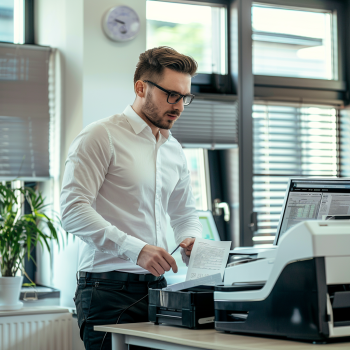
Choosing the right copier models for office use is more than just selecting a machine that prints and scans—it’s about improving productivity, minimizing downtime, and saving costs. Whether you're managing a small startup or a growing enterprise, your copier plays a crucial role in daily operations.
In this guide, we’ll walk you through different copier models, key features to look for, and smart tips on how to budget and save through rentals or leasing. Let’s dive in!
Why Copier Choice Matters in the Office
Your copier is often the heartbeat of office activity. It affects document management, workflow efficiency, and even team productivity. Choosing the wrong copier model can lead to high maintenance costs, poor print quality, or worse—frequent breakdowns.
That’s why understanding the various copier models for office use is vital to make a cost-effective and functional decision.
Types of Copier Models for Office Use
Here are the most common models of copiers you’ll encounter in office settings:
1. Monochrome Copiers
These are ideal for offices that primarily deal with text documents. They’re fast, cost-effective, and require minimal maintenance. If color printing isn’t necessary, a monochrome copier is the practical choice.
2. Color Copiers
For businesses that need professional presentations, proposals, or marketing materials, color copiers deliver vibrant results. Many newer models offer high-resolution printing suitable for graphic-heavy documents.
Learn more about factors affecting copier rental prices so you can compare costs based on the features you truly need.
3. Multifunction Printers (MFPs)
These models combine copying, scanning, printing, and sometimes faxing in one machine. MFPs are a staple for modern offices that want all-in-one convenience. They save space and reduce operational costs.
4. High-Volume Copiers
Designed for large offices or departments, these models are built for speed and durability. They can print thousands of pages per day without overheating or jamming. Some come with finishing features like stapling and booklet making.
Key Features to Consider
When shopping for copier models for office use, focus on the following features:
Speed (PPM - Pages Per Minute): Choose based on your volume. Small offices may be fine with 20–30 ppm, while larger ones may need 50+ ppm.
Connectivity: Wi-Fi, cloud printing, and mobile access are essential in today’s remote-friendly work environment.
Security Features: Look for data encryption, user authentication, and secure print release options.
Paper Handling: Consider the number of trays, supported paper sizes, and finishing options.
Rent or Buy: Which is Better?
When deciding between renting and buying, it’s crucial to consider your office’s size, budget, and usage levels.
Renting is great for flexibility, especially if you're scaling or operating temporarily. On the other hand, buying can save money long-term for high-usage offices.
Read this cost comparison of renting vs. buying a copier to make an informed decision.
Copier Rental Cost Factors
Don’t get caught off-guard by hidden fees. Copier rental pricing is affected by:
Machine type and features
Monthly volume capacity
Maintenance and supply inclusions
Contract duration
For deeper insight, check out this article on how to budget for copier rentals.
Cost-Saving Tips for Copier Rentals
If you're leaning toward renting, follow these strategies:
Choose only the features you need – Avoid overpaying for extras.
Negotiate your lease terms – Shorter contracts offer more flexibility.
Bundle maintenance – This helps you avoid surprise repair expenses.
Explore our tips on saving money on copier rentals and get the most value from your equipment.
Evaluating Lease Terms for Long-Term Use
Before signing a lease, always analyze terms like service inclusions, upgrade options, and early termination clauses.
This guide on analyzing lease terms for cost efficiency can help you prevent costly mistakes and ensure a win-win contract.
Recommended Copier Models (Sample List)
While availability varies, here are popular copier models for office use:
| Brand & Model | Type | Best For | Notable Features |
|---|---|---|---|
| Canon imageRUNNER | Multifunction | Medium to large offices | High-speed scanning, cloud integration |
| Ricoh IM C4500 | Color MFP | Creative and marketing teams | Smart touch screen, eco-friendly toner |
| Kyocera TASKalfa | Monochrome MFP | Text-heavy offices | Long-life components, low TCO |
| Brother MFC Series | Compact MFP | Small businesses | Budget-friendly, wireless printing |
Final Thoughts
Selecting the right copier models for office use can transform how your team works. It’s not just about printing—it’s about finding a solution that supports your goals, adapts to your needs, and saves your business time and money.
Whether you're planning to rent, lease, or buy, make sure your choice aligns with your daily office demands and long-term strategy. And if you need expert help?
Contact us today to learn more:
0917 164 2540 | 0961 448 1276
marga.enterprises2013@gmail.com
Visit: https://marga.biz
Watch more insights and updates on our YouTube Channel:
https://l.facebook.com/l.php?u=https%3A%2F%2Fwww.youtube.com%2F%40MargaEnterprises24