
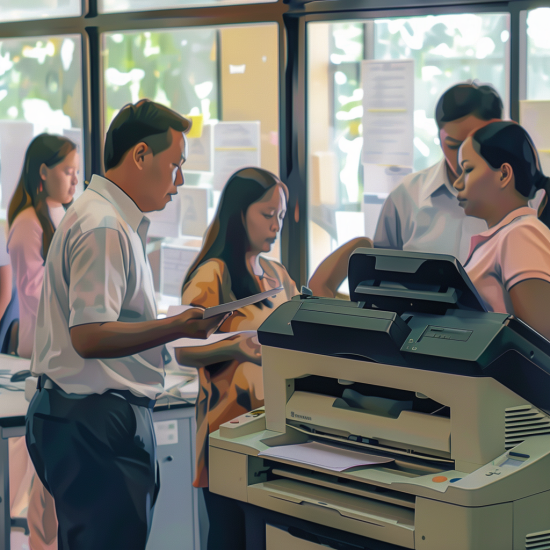
In today’s fast-paced office environments, copiers are essential tools for productivity. But just like any piece of equipment, they require regular maintenance to keep them running efficiently. Without proper care, copier breakdowns can disrupt workflow, increase expenses, and shorten the machine’s lifespan. This is where smart maintenance strategies for copiers come into play.
In this blog post, we’ll explore effective ways to maintain copiers, reduce downtime, and save money in the long term. Whether you’re managing a small office or overseeing an enterprise-level setup, these strategies will help you make the most out of your copier investment.
Why Maintenance Matters
Before diving into the strategies, it's important to understand why copier maintenance should be a priority. Regular upkeep:
Prevents sudden breakdowns and delays
Improves print quality and machine performance
Extends the lifespan of your copier
Reduces long-term repair costs
Keeps your rental or lease agreement in good standing
These benefits are especially crucial for businesses working with tight budgets or strict timelines. A copier that functions smoothly is a key player in maintaining daily operations.
1. Follow Manufacturer’s Maintenance Schedule
Every copier comes with a user manual or a maintenance guideline from the manufacturer. These guidelines aren’t just suggestions—they are based on years of testing and engineering.
Routine tasks like:
Replacing toner and cartridges
Cleaning paper paths and rollers
Updating firmware
...should be scheduled as recommended.
By following these intervals, you ensure your copier runs as intended, minimizing wear and tear. This proactive step also keeps your device within warranty or rental compliance.
For businesses that lease their machines, understanding these schedules is critical. Learn how to analyze lease terms for cost efficiency so you can make informed decisions about service responsibilities.
2. Keep the Copier Clean
Dust, paper particles, and toner residue are the silent enemies of copier performance. Regular cleaning prevents these from building up and damaging internal components.
Here are simple cleaning habits:
Wipe the glass scanner and feeder weekly
Remove dust from the exterior and vents
Use a soft, lint-free cloth with no harsh chemicals
For internal cleaning (like toner spillage or jammed paper bits), it’s best to contact a technician or use authorized maintenance personnel provided by your copier rental provider.
3. Train Users on Proper Copier Handling
Misuse or mishandling often causes avoidable copier issues. Train your team to:
Avoid overloading paper trays
Use the correct paper size and type
Remove jams gently without forcing parts
Follow the proper power-down procedure
A well-informed user is your first line of defense in copier maintenance. Creating a simple user guide or holding a quick training session can go a long way in preventing unnecessary service calls.
4. Choose Smart Copier Placement
Where your copier sits can affect its performance. Environmental factors like humidity, dust, and temperature fluctuations can lead to malfunctions.
Here’s what to consider:
Place your copier in a clean, dry, and temperature-controlled area
Avoid exposure to direct sunlight or near heating vents
Ensure there’s space around the copier for ventilation
Proper placement not only keeps the machine in good condition but also creates a more user-friendly setup for staff.
5. Use Genuine Parts and Consumables
Using third-party toner or cartridges might seem like a good way to cut costs. However, non-genuine parts can clog print heads, cause leaks, and void your warranty.
Instead, invest in genuine, brand-recommended supplies. These ensure optimal compatibility and reduce the risk of long-term damage.
This strategy also aligns with the tips from saving money on copier rentals without compromising quality.
6. Schedule Preventive Maintenance Checks
Even when your copier is functioning well, periodic checkups from certified technicians can detect issues before they escalate.
Preventive maintenance typically includes:
Inspection of internal parts
Cleaning of delicate components
Firmware updates
Replacing worn-out rollers or belts
If you rent copiers, confirm whether your rental package includes maintenance. You can budget for copier rentals with maintenance already built into the service agreement.
7. Track Usage and Performance
Copiers that are overused—or underused—can encounter different sets of problems. Use tracking tools or software to monitor:
Monthly page counts
Frequency of paper jams
Supply usage (toner, paper)
Service history
This data helps you identify trends, such as overworked devices or departments that require separate units. It also supports better decision-making when choosing to upgrade or expand.
8. Know When to Replace or Upgrade
Even the best-maintained copier has a lifespan. If maintenance becomes too frequent or expensive, it might be more cost-effective to upgrade.
Renting or leasing gives you the flexibility to switch to newer models without a large upfront investment. Compare your costs using this cost comparison of renting vs buying a copier to make a sound financial choice.
Newer machines also come with better energy efficiency and support for remote monitoring, which can further streamline your maintenance tasks.
9. Partner with a Reliable Copier Provider
The quality of support you get from your copier provider matters just as much as your internal efforts. Look for providers who:
Offer responsive technical support
Provide preventive maintenance
Use genuine parts and accessories
Have flexible rental or lease options
Having a trusted partner means you’re never alone when copier issues arise. They can also guide you on factors affecting copier rental prices so you don’t overspend.
Final Thoughts
Implementing smart maintenance strategies for copiers not only preserves your machines but also protects your time, budget, and productivity. By staying proactive—through regular cleaning, staff training, and preventive checkups—you minimize costly disruptions and maximize your copier's performance.
If you're managing a fleet of machines or just starting with copier rentals, being informed is your best tool. For more business-savvy tips on copier care and rental solutions, follow us on our official Facebook and YouTube pages:
👉 Marga Enterprises YouTube Channel
👉 Visit Our Homepage
Stay efficient. Stay productive. Keep your copiers in top shape with these easy-to-follow strategies!